Palettes: DMC, Anchor · 20–400 stitches wide · up to 120 colours
Free cross stitch patterns to start with
What counted cross stitch is, and who these tools are for
Counted cross stitch is embroidery worked from a chart: each square on the grid is one X-shaped stitch on an evenly woven fabric such as Aida, evenweave or linen. Because the picture is built from tiny squares of thread, almost anything can become a design, from a pet portrait to a line of lettering for a sampler.
These tools are written for stitchers who want to make their own charts rather than buy kits. That might be someone turning a holiday photo into a keepsake, a designer drafting a pattern to sell, or a teacher preparing a simple name sampler for a class. Everything runs in your browser, there is no watermark, and the photo you start from never leaves your device.
Choosing size, colours and materials
Three decisions shape every cross stitch project.
Stitch count and fabric count together set the finished size. A design 100 stitches wide is about 7.1 inches across on 14-count Aida, but only 5.6 inches on 18-count. Work out the size before you buy fabric, then add a generous margin for framing. The fabric size calculator does this for you, including evenweave worked over two threads.
Colour count sets the mood and the workload. More colours give smoother shading but mean more thread changes and more floss to buy. A cartoon-style motif can look crisp with a dozen colours; a soft-focus landscape may want forty. If you are unsure which shades work together, the guide to choosing thread colours walks through it.
Strands and thread brand affect coverage. Two strands on 14-count is the usual starting point. One strand gives a lighter, more delicate look on fine fabric; three strands fill the holes more fully on 11-count. Charts here use real DMC® or Anchor® thread codes, and the skein calculator estimates how much of each colour you need for your count and strand choice.
How the tools fit together
- Photo to pattern turns a picture into a chart. You choose the width in stitches, the maximum number of colours and the thread brand. Colours are matched to real floss shades, and a stitchability score with two practical tips tells you whether the result will be pleasant to stitch.
- Text to pattern sets names, dates and short quotes in six pixel fonts, with optional borders such as hearts or stars. It is ideal for samplers, birth announcements and bookmarks.
- Pattern editor lets you draw from a blank grid or tidy up a generated chart: fill areas, draw lines, mirror a motif, swap one floss for another, or merge two near-identical shades.
Every pattern can be downloaded as a PDF on A4 or US Letter with a cover page, colour key, symbol chart pages with a bold line every ten stitches, and the fabric size to cut. You can also save an OXS file for other cross stitch software, a CSV shopping list or a .cpat project file. When you start stitching, the stitch tracker lets you mark off cells as you go.
Common mistakes to avoid
- Charting too small for the subject. Faces and fine detail need width. A portrait squeezed into 60 stitches tends to turn into blotches; try 120 or more.
- Keeping every colour the photo suggests. Ten shades of nearly identical beige add work without adding much to the picture. Merge colours that are used only a handful of times.
- Ignoring confetti. Scattered single stitches of a colour are slow to work and use a lot of thread for tails. Turning up confetti cleanup in the advanced settings usually helps; the confetti guide explains the trade-off.
- Cutting fabric to the design size. You need room for a hoop or frame and for mounting. Three inches on each side is a common allowance.
- Buying one skein of everything. Large areas of a single colour can easily need several skeins, so estimate before you shop.
What the cross stitch pattern maker includes
Everything below is free, with no account, no watermark and no upload: the tools run in your browser.
| Feature | What you get |
|---|---|
| Photo to chart | Up to 400 stitches wide and 2 to 120 colours, matched to DMC or Anchor thread |
| Colour clean-up | Ordered or Floyd–Steinberg dithering, five levels of confetti clean-up, background removal |
| Blank-grid editor | Draw stitch by stitch, backstitch and French knots, text stamp, mirror drawing, saved versions |
| Names and text | Six fonts and eight borders for samplers and name charts |
| Downloads | PDF chart on Letter or A4 with symbols and a thread key, PNG and SVG images, a shopping list (CSV), an OXS file for other cross stitch programs, and a .cpat project file |
| Planning | Fabric size, skein and Aida count calculators, and a “colours I own” list that marks what you still need to buy |
| Stitching | A stitch tracker with large symbols and saved progress |
Free patterns to start with
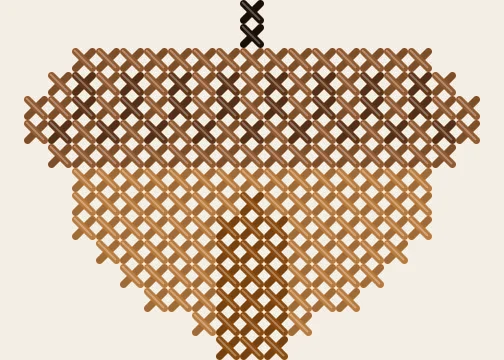
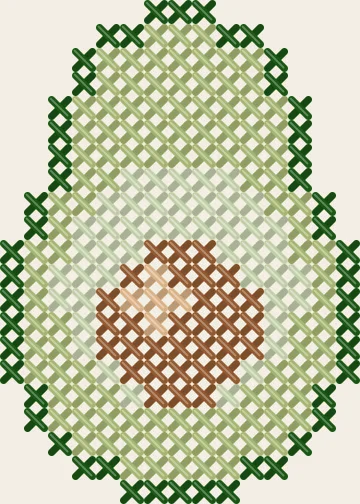
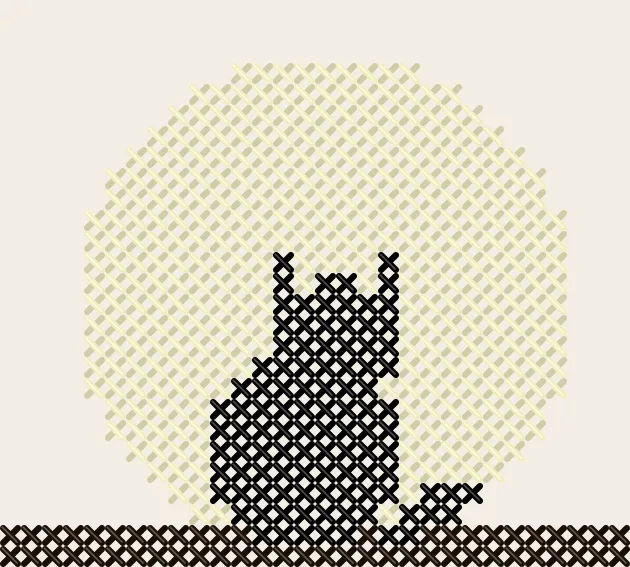
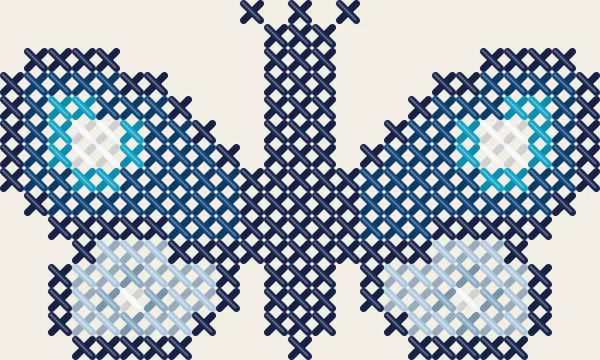
New to cross stitch? The cross stitch patterns for beginners collection gathers small designs in six colours or fewer with whole stitches only, each with a printable chart and thread list. For December, the Christmas patterns include ornaments, snowflakes and a gingerbread house, and the full pattern library has more than 250 designs across every craft.
Getting started
- Pick a photo with a clear subject and good contrast, or decide on the words you want to stitch.
- Open the photo or text tool and set the width in stitches. Start around 100 if you are unsure.
- Choose DMC® or Anchor® and a modest colour limit, then compare the Chart and Realistic views to judge the result.
- Fine-tune anything that bothers you in the editor, such as a stray stitch in an eye or an uneven border.
- Check the fabric size and skein estimates, download the PDF, and if you are new to charts, read how to read a cross stitch chart before the first stitch.
Cross stitch guides
- Backstitch, French knots and fractional stitches in cross stitch
- How to choose a photo that makes a good pattern
- Choosing thread colours for cross stitch
- Confetti stitches explained
- How to edit a pattern in the editor
- Fabric counts explained
- How to finish and frame cross stitch in a hoop
- How much thread do I need? Estimating skeins for cross stitch
- How to read a cross stitch chart
- How to start cross stitch — a complete beginner's guide
- How to wash and press cross stitch and embroidery
Frequently asked questions
Do I need any software installed to use these cross stitch tools?
No. Every tool runs in an ordinary web browser on a computer, tablet or phone. There is nothing to install, no account to create and no paid upgrade. Your photos and patterns stay on your own device.
Which fabric count should a beginner choose?
Most beginners find 14-count Aida the easiest to start with, because the holes are easy to see and each stitch is a comfortable size. Once you are confident, 16- and 18-count give finer detail in the same space. The fabric size calculator shows how big your design will be on each count.
Can I use Anchor thread instead of DMC?
Yes. You can build a pattern from the Anchor® palette (444 colours) or the DMC® palette (489 colours), and the colour key always shows the nearest code in the other brand. Those are close visual matches rather than official equivalents, so it is worth checking unusual shades against a real skein.
How many colours should my first cross stitch chart have?
For a first project, somewhere between 8 and 20 colours keeps the floss organised and the colour changes manageable. Photo portraits often look better with 30 or more, but they also take far longer to stitch. You can set any maximum from 2 to 120.
Can I keep track of which stitches I have finished?
Yes. Open your saved project, the .cpat file or the CraftPatterns PDF in the stitch tracker, then tap or drag across cells to mark them done. It shows progress per colour and saves on your device, so you can pick up where you left off.
Will my chart work in other cross stitch programs?
You can download an OXS file, which many cross stitch programs can open. The PDF also carries the editable project inside it, so dropping it back into the editor here restores the full pattern.
Last updated · About us