| Size | 16 × 16 pixels |
|---|---|
| Colours | 6 · hex colours |
| Total pixels | 106 |
| Difficulty | Beginner (1/5) |
| Finished size | 16 × 16 px |
| Licence | CC BY-NC 4.0 — free for personal use with credit |
Materials
| Colour | Code | Name | Pixels | Share | Amount |
|---|---|---|---|---|---|
| #221111 | 51 | 48% | 51 px | ||
| #EE3355 | 32 | 30% | 32 px | ||
| #55AA44 | 13 | 12% | 13 px | ||
| #BB1133 | 6 | 6% | 6 px | ||
| #FF88AA | 2 | 2% | 2 px | ||
| #337722 | 2 | 2% | 2 px |
About this design
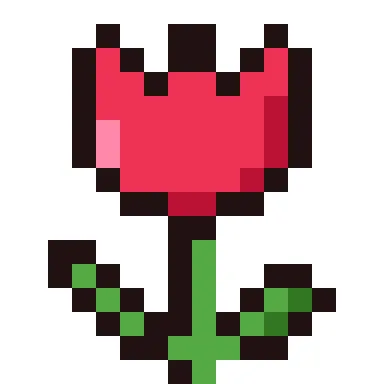
The bloom is a cup with three pointed petal tips along the top, a pink highlight on the left and a darker red shadow on the right. A straight stem drops from the base of the flower and two leaves curve outwards from it, each two shades of green.
How to use it
Tulips suit Mother’s Day cards, spring classroom displays and Easter decorations. Change the red to yellow, purple or pink in the editor and make a row of tulips for a border. It is a quick, pretty cross stitch.
Size and bead counts
The picture fills 106 of the 256 squares in its grid, within an area 12 squares wide and 15 tall; the rest stay empty. It uses 6 colours: black 51 (#221111), light red 32 (#EE3355), green 13 (#55AA44), dark red 6 (#BB1133), light pink 2 (#FF88AA), dark green 2 (#337722). Made with 5 mm fuse beads it measures about 6.0 × 7.5 cm and fits on one standard 29 × 29 pegboard. Stitched on 14-count Aida it is about 2.2 × 2.7 cm, or 2.8 × 3.5 cm on 11-count, so add a few centimetres of fabric on every side for the hoop.
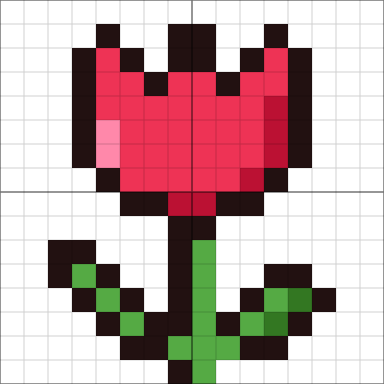
Colour plan
#221111 does the most work, 48% of the 106 pixels, followed by #EE3355 at 30%. #BB1133 (6), #FF88AA (2) and #337722 (2) are used only a little: small details worth marking on the chart so you don't miss them. 59% of the grid is left empty.
Working notes
It is 16 × 16 pixels; at 8× scale it becomes 128 × 128. The busiest row changes colour 12 times.
This is an original CraftPatterns design, licensed CC BY-NC 4.0: stitch it, share it and gift what you make — please credit craftpatterns.app and don't sell the pattern itself. Want to change it? Open it in the pixel art editor.
Last updated · About us